

Subscription details
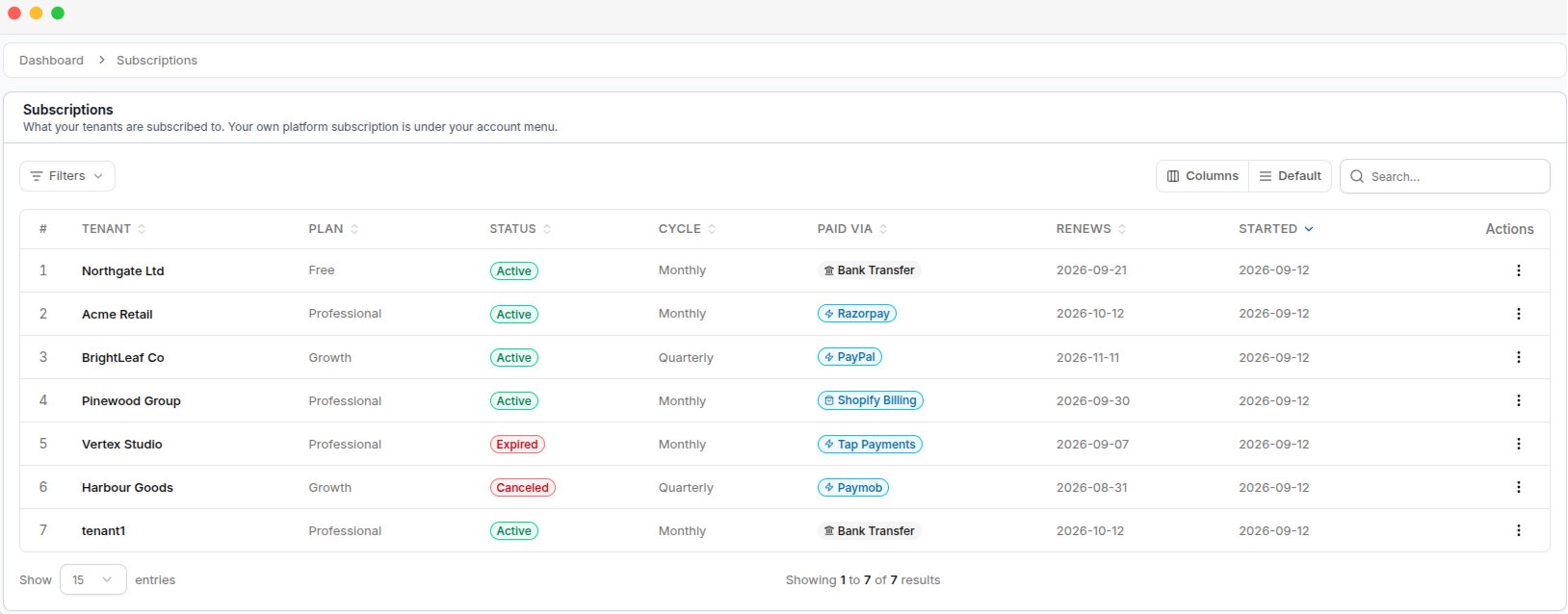
The Subscriptions list, with each tenant's plan, status, billing cycle, and payment method
Subscription status
Subscription status flow
The status changes automatically based on the subscription and payment status.Grace period
When the subscription period ends, the tenant enters the grace period and keeps full access.
Billing Only
After the grace period ends, the status changes to Billing Only. The tenant can sign in and complete the pending payment.
Expired
If the billing period ends without payment, the subscription becomes Expired.
Tenants with Billing Only status can still sign in and complete their payment. Their full access is restored after the payment is successful.
If a tenant cancels their subscription, it remains Active until the current subscription period ends. Cancellation does not stop access immediately.
View subscription details
Click a tenant’s name to open the subscription details page.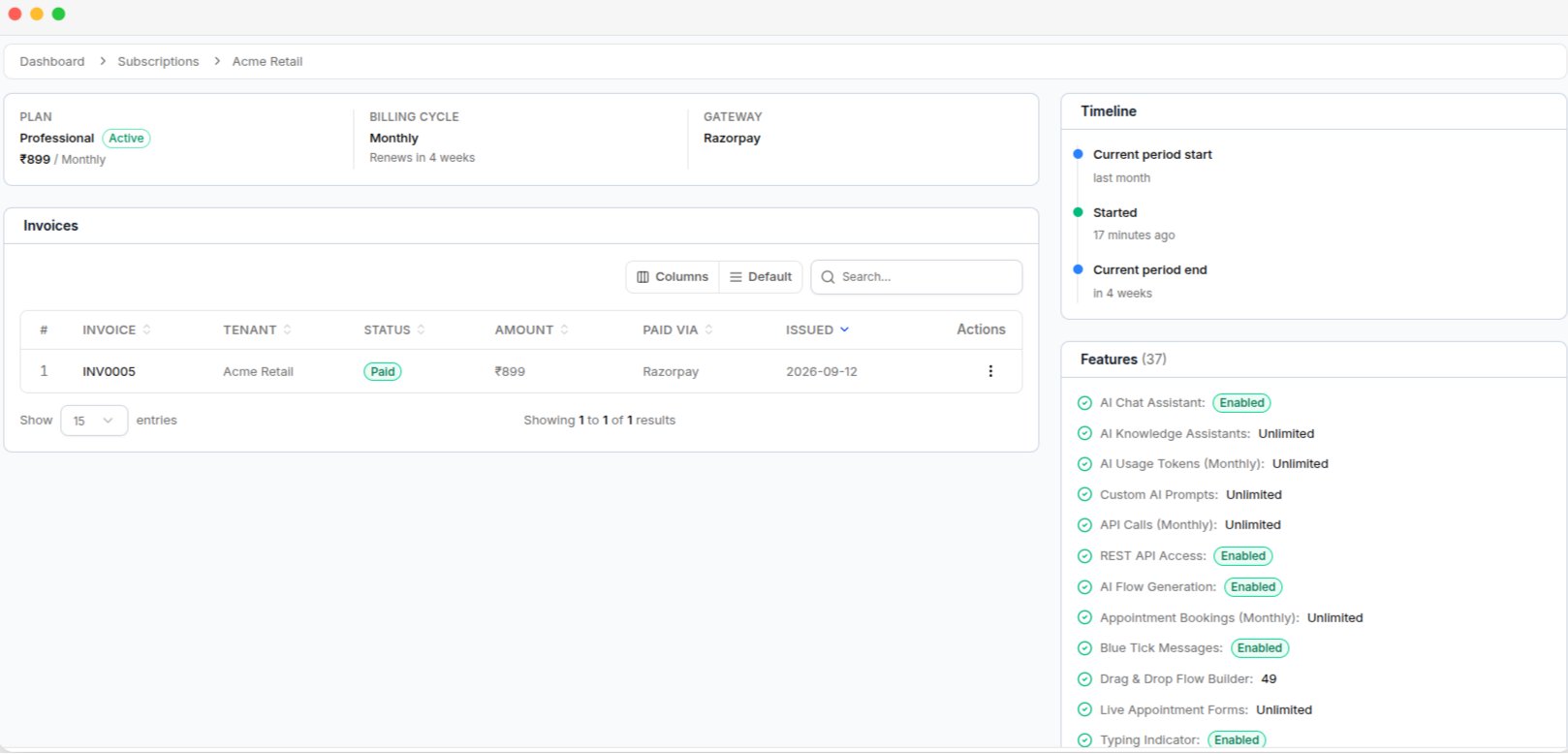
A tenant's subscription detail page, with the plan summary, invoices, timeline, and feature list