

Invoices
The bills created for tenants.
Payments
All payment attempts — successful, pending, failed, and refunded.
A failed payment does not create an invoice. If a tenant says their payment failed, check Sales → Payments to see the payment status.
Invoices
Sales → Invoices shows all invoices created for tenants.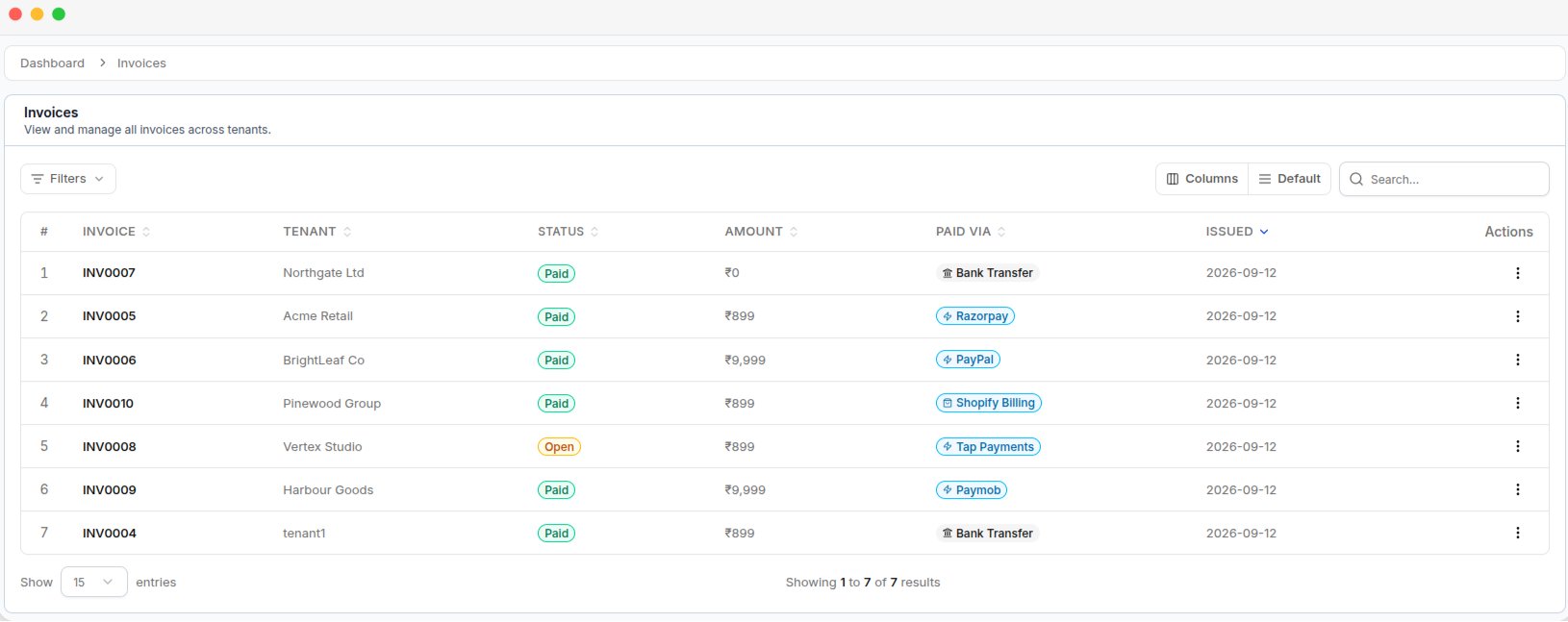
The Invoices list, with each invoice's status, amount, and payment method
Invoice details
View an invoice
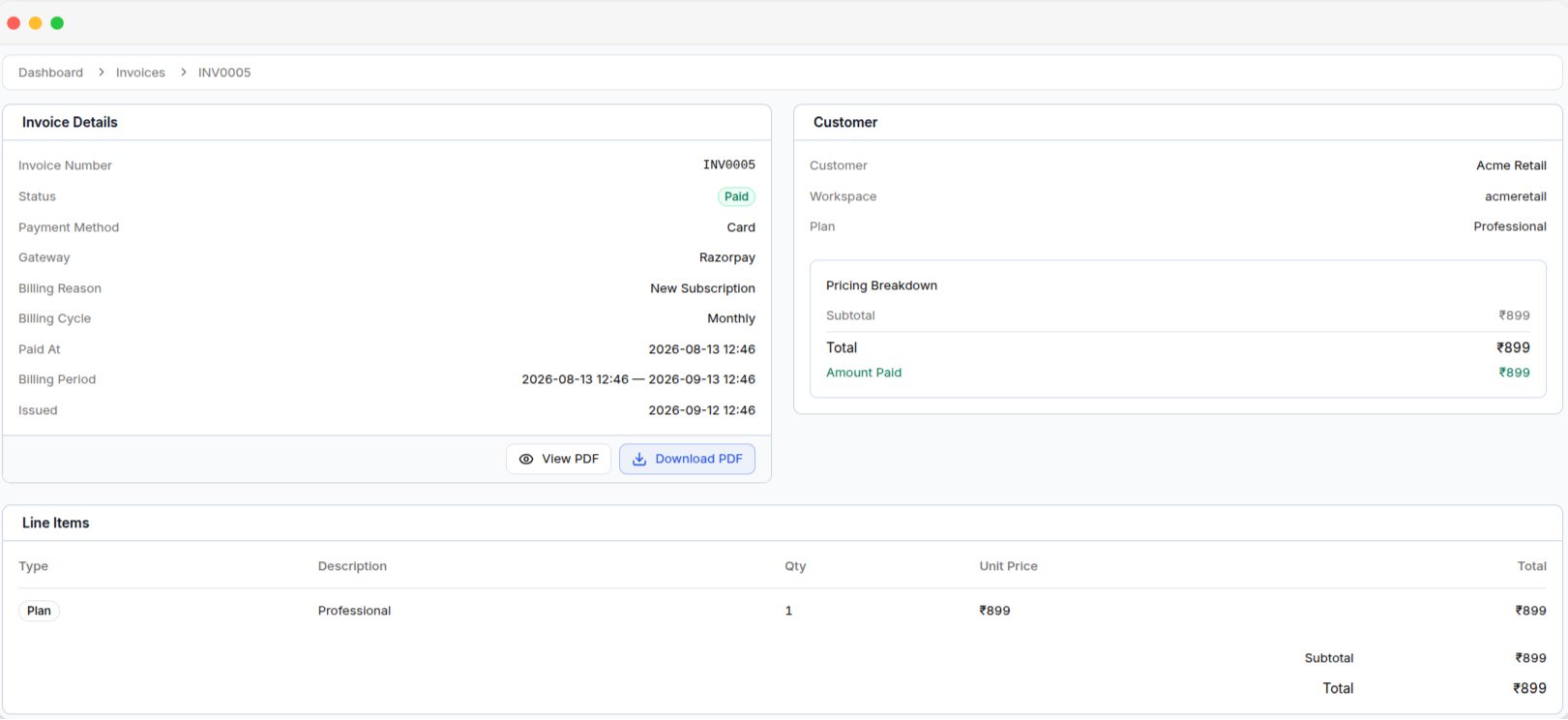
An invoice's detail page, with its details, the tenant, the pricing breakdown, and line items
The invoice details page includes Invoice Details, Tenant, Billing Details, and Line Items.
Payments
Sales → Payments shows all payment attempts made by tenants.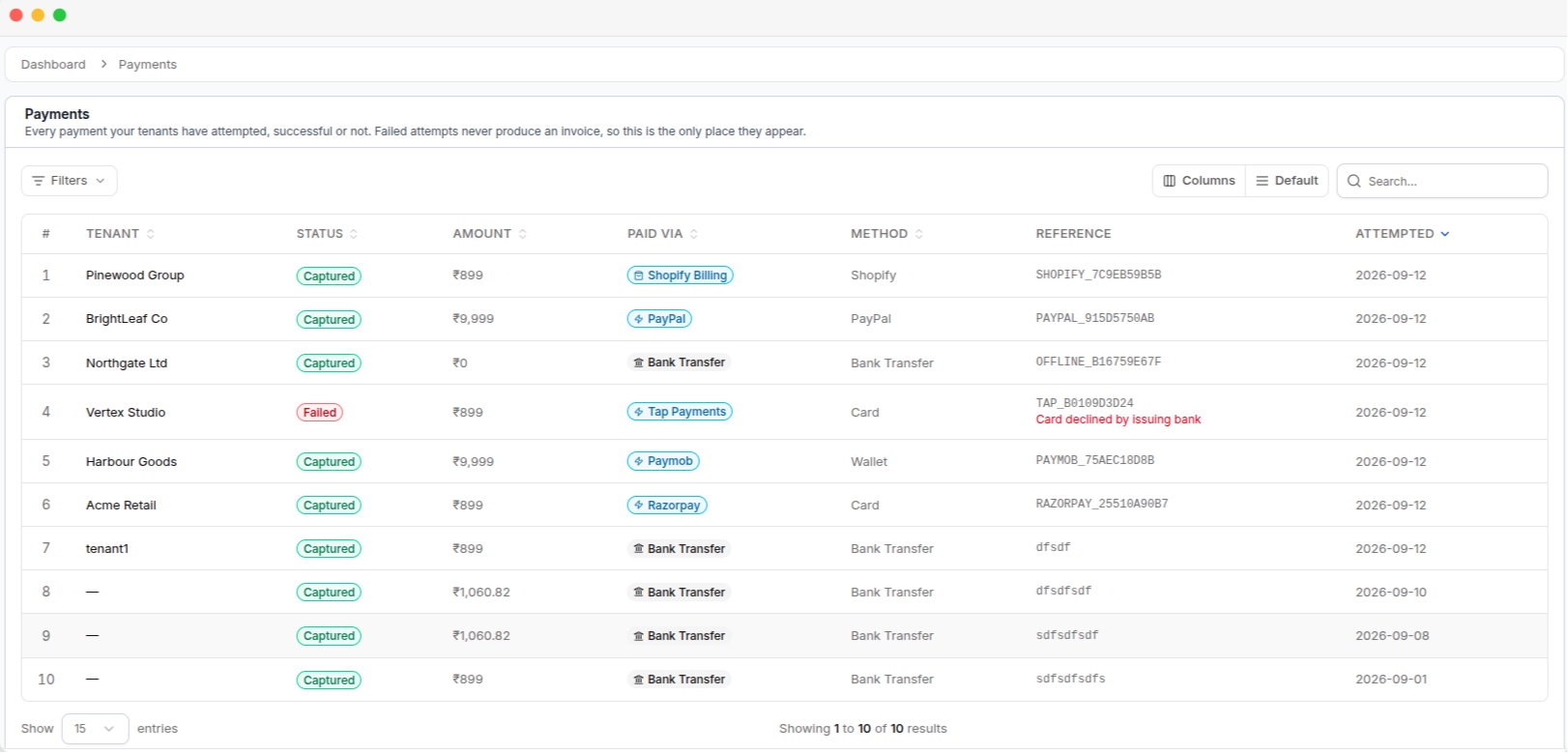
The Payments list, showing captured and failed attempts with their reference and method