

Generation list
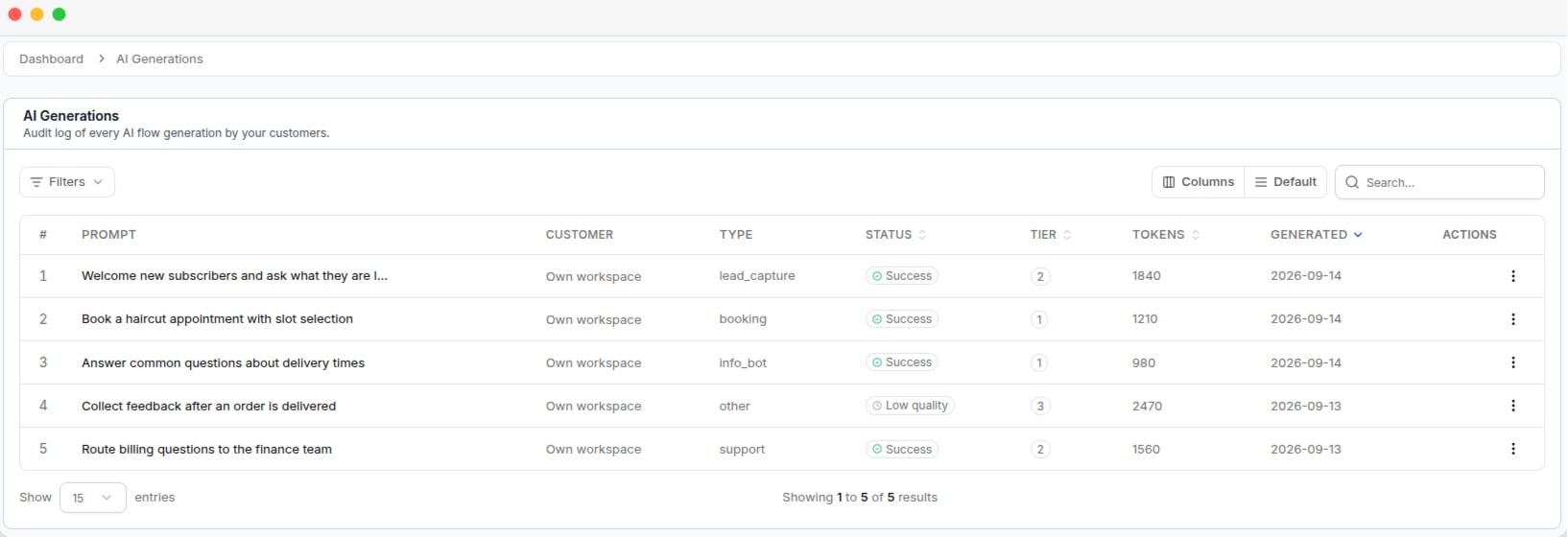
The AI Generations log, with the prompt, status, tier and tokens for each generation
Generation status
Low quality does not mean that no flow was generated. It means the generated flow received a low quality score.
The Status filter also includes Failed and Pending, but these statuses are not recorded as completed generations. They normally return no results.
Generation tiers
The tier shows how the AI generated the flow.View a generation
Click a generation to view the full Prompt submitted to the AI, the generated Flow, and the generation details and token usage. You can delete a generation from the list.Deleting a generation only removes the generation record. The flow already created for the tenant is not affected.