Coupons are discount codes that tenants can enter at checkout. Manage them from Setup → Coupons.
A coupon applies to a particular payment only. The tenant’s next renewal is charged at the normal price.

Create a coupon

Click Add Coupon to create a new coupon.
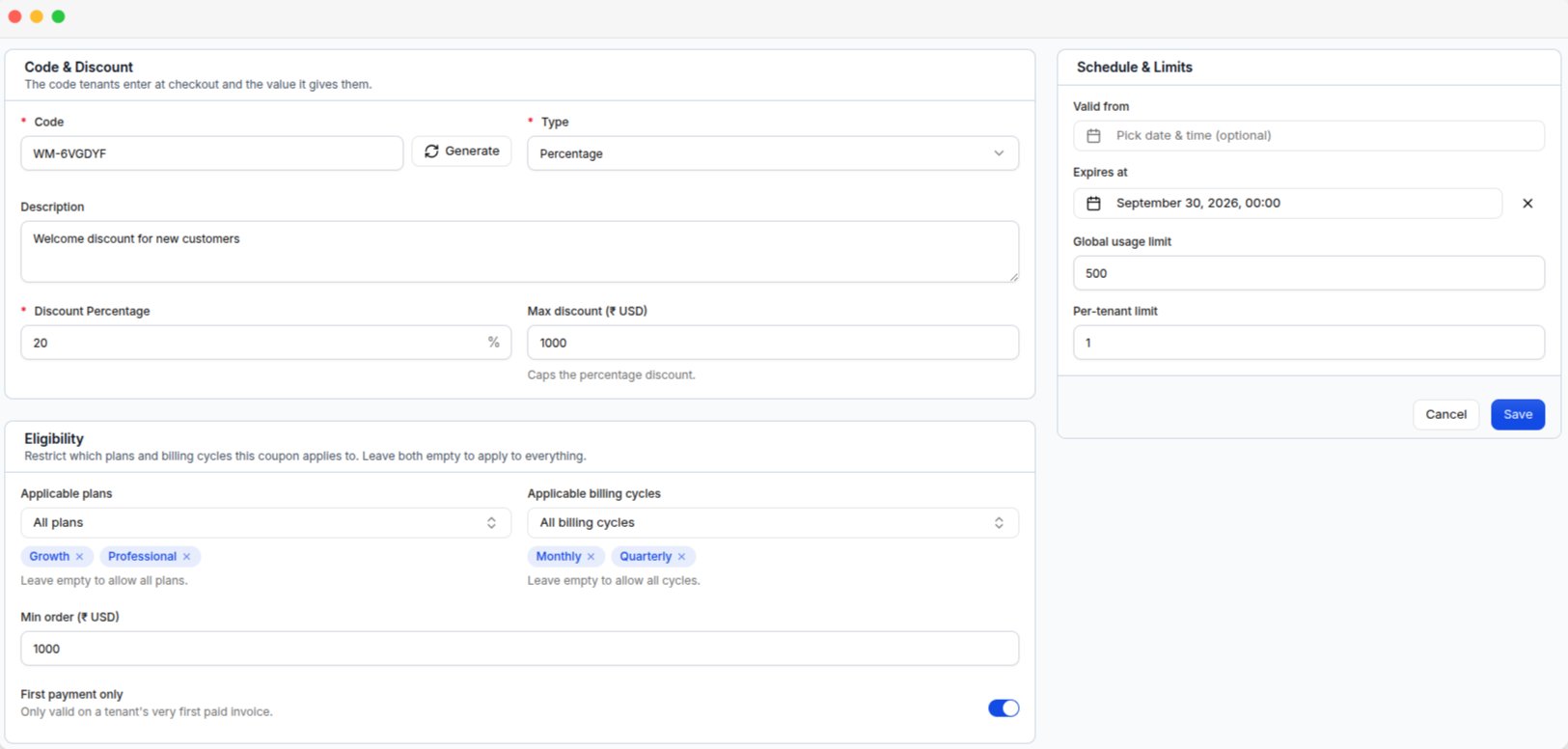
The coupon form, with the code and discount, eligibility rules, and schedule and limits

The coupon form, with the code and discount, eligibility rules, and schedule and limits

Coupon details

Coupon codes are stored in uppercase, so save20 and SAVE20 are treated as the same code.

Discount

The fields depend on the selected Type.
Coupon amounts use the platform’s base currency configured under Currency setup.

Usage and validity

Leaving a limit empty means there is no limit.
Enable First payment only if the coupon is intended for new tenants.

Manage coupons

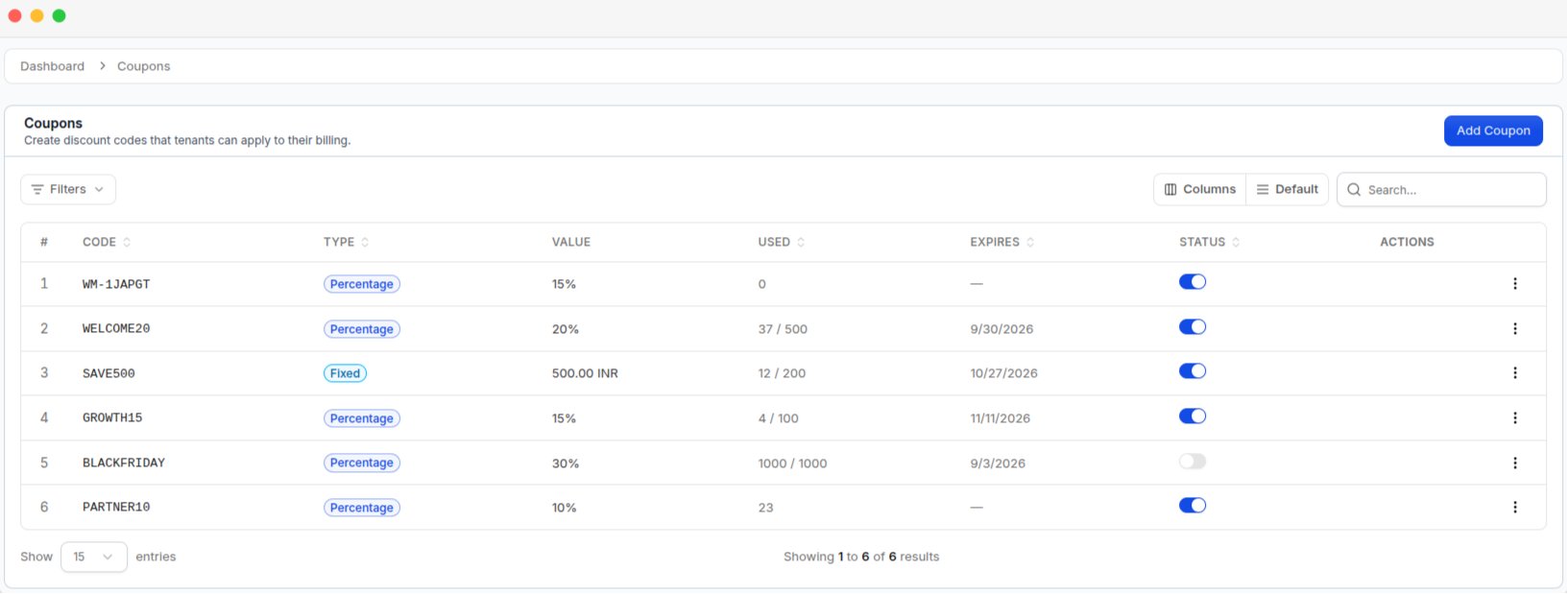
The Coupons list, with each code's type, value, usage, expiry, and status switch

The Coupons list, with each code's type, value, usage, expiry, and status switch

The coupon list shows the Code, Type, Value, Used, Expires, and Status of each coupon. You can filter coupons by Status, Type, and Expired. The Status switch allows you to disable a coupon without deleting it.
Deleting a coupon does not remove discounts from existing invoices. To stop a coupon from being used, disable its Status instead.

How tenants use coupons

Tenants enter the coupon code at checkout when they:
  • Activate a subscription
  • Renew a subscription
  • Upgrade a subscription
Coupons can be used with both online payments and bank transfers. The discount is applied before tax is calculated.