

Configure these settings once. Tenants do not need to enter your app credentials — they only connect their own WhatsApp account, Facebook Page, or Shopify store.
Your Meta app, so tenants can connect their WhatsApp Business Account.
Messenger
Your Meta app, for connecting Facebook Pages.
Shopify
Your Shopify app, so tenants can connect their own store.
Your Meta app must be approved as a Tech Provider before tenants can connect through Embedded Signup. See Tech Provider Approval for the step-by-step process.
Meta App Credentials
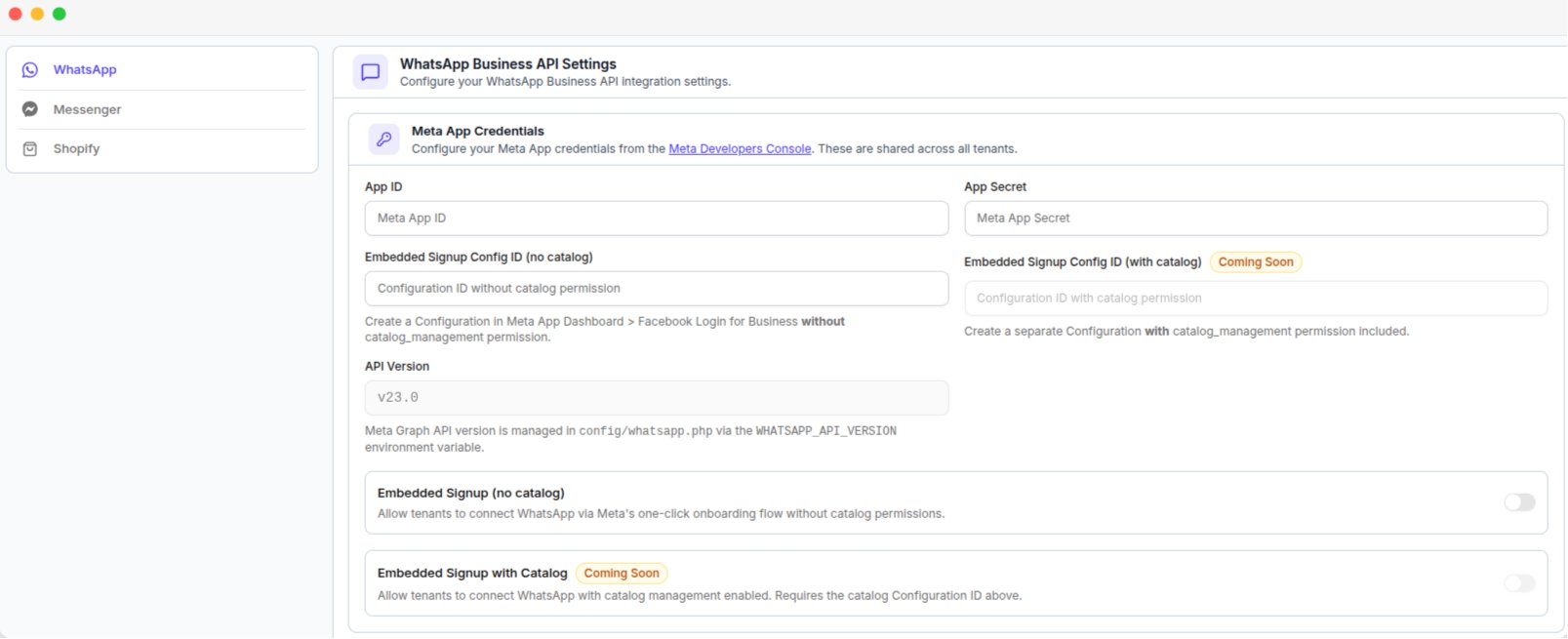
The WhatsApp tab, with the Meta app credentials and Embedded Signup switches
The API Version is fixed by the platform and cannot be changed.
Tenant Connection
Embedded Signup (no catalog) allows tenants to connect their WhatsApp Business Account through Meta’s onboarding process.Webhook Configuration
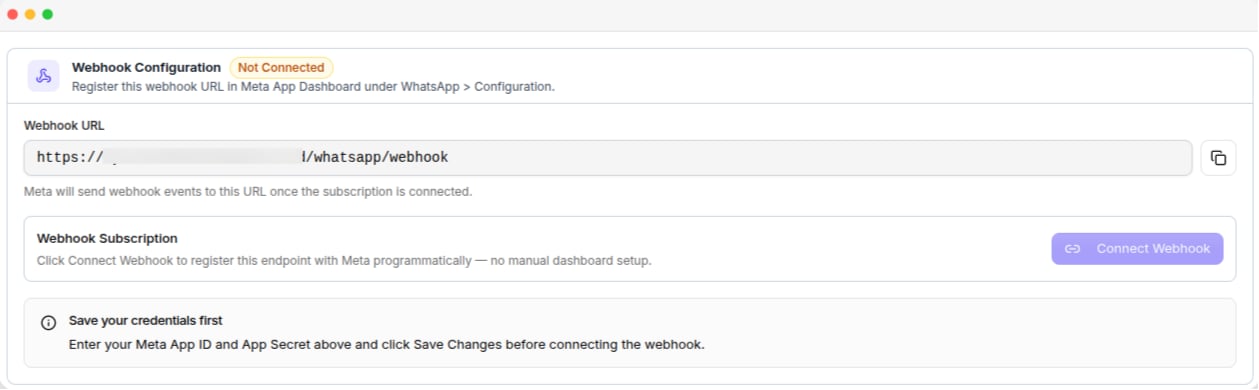
The Webhook Configuration card, with the webhook URL and Connect Webhook button
Messenger
Configure your Meta app for connecting Facebook Pages. The same Meta app can be used for WhatsApp and Messenger, or you can use a separate app.The app needs Advanced Access to the Messenger Page permissions before tenants outside your team can connect a Page. See Messenger Permissions for the required permissions, the Facebook Login configuration, and App Review.
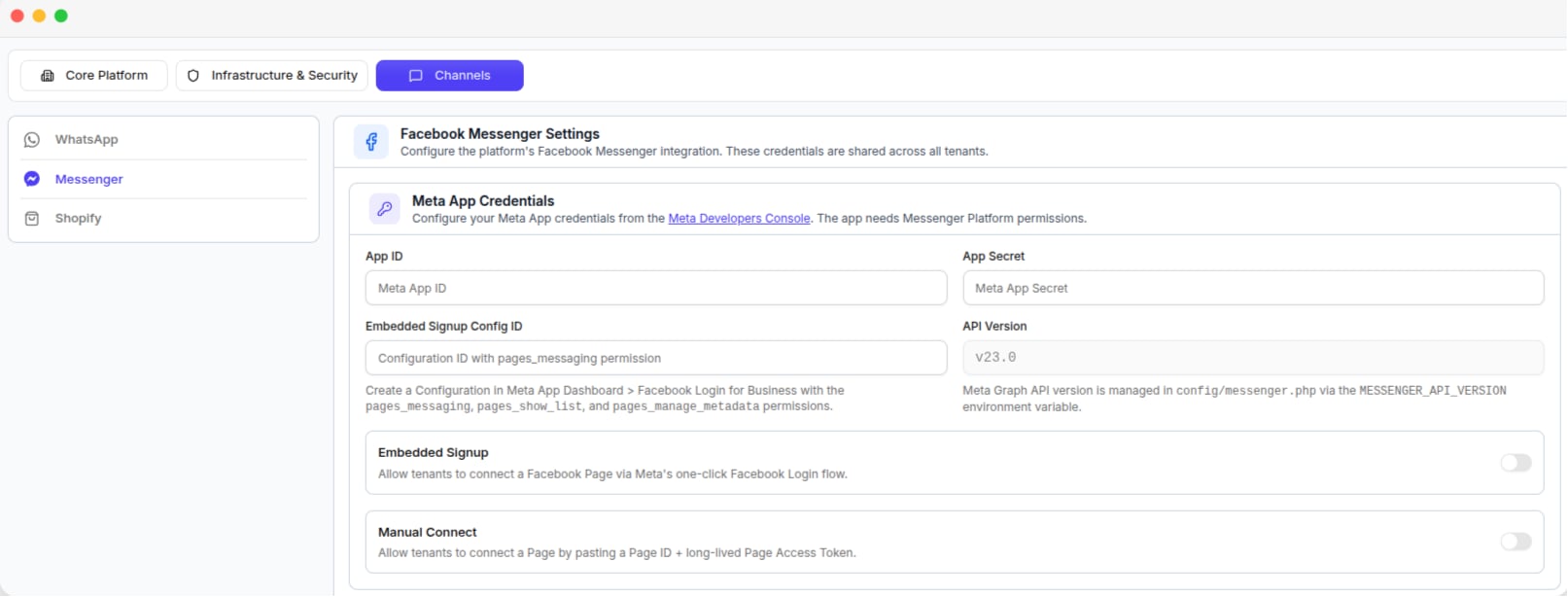
The Messenger tab, with the Meta app credentials and connection switches
Tenant Connection Options
Shopify
Configure your Shopify app so tenants can connect their own Shopify store. Create the app in your Shopify Partner Dashboard.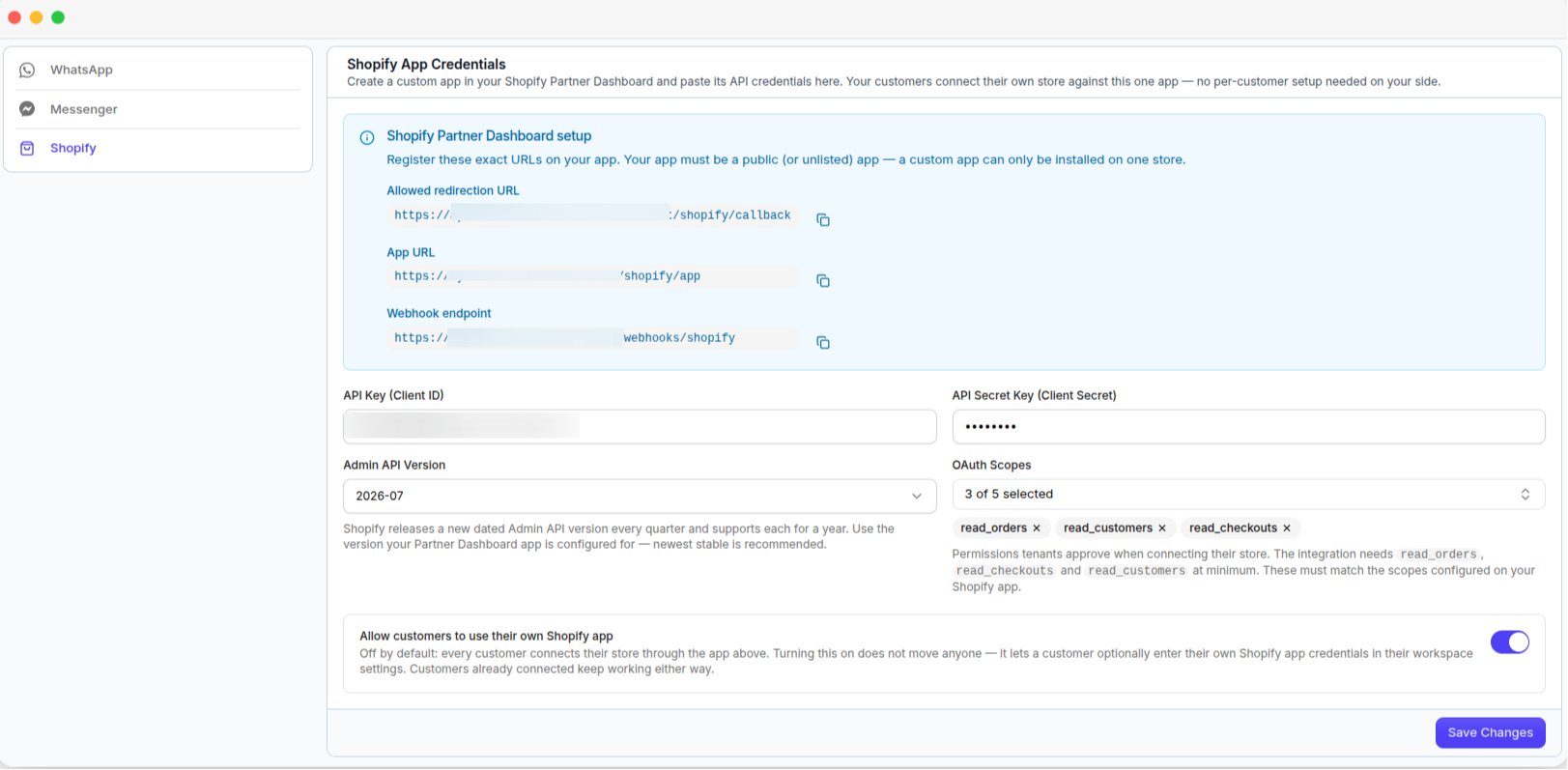
The Shopify tab, with the URLs to register, API credentials and OAuth scopes
Use a public or unlisted app so it can be used by multiple tenants. A Shopify custom app is limited to one store.
Shopify App Settings
URLs to register
The page provides these URLs with copy buttons. Add them to your Shopify app exactly as shown.- App URL
- Allowed redirection URL
- Webhook endpoint