

Before you start
A tenant plan cannot have higher limits than your own plan. If your plan allows 10,000 contacts, a tenant plan can allow up to 10,000 contacts, but not more.Each field shows the maximum allowed value, such as Max 10000. Unlimited is available only when your own plan has an unlimited limit.
Create a plan
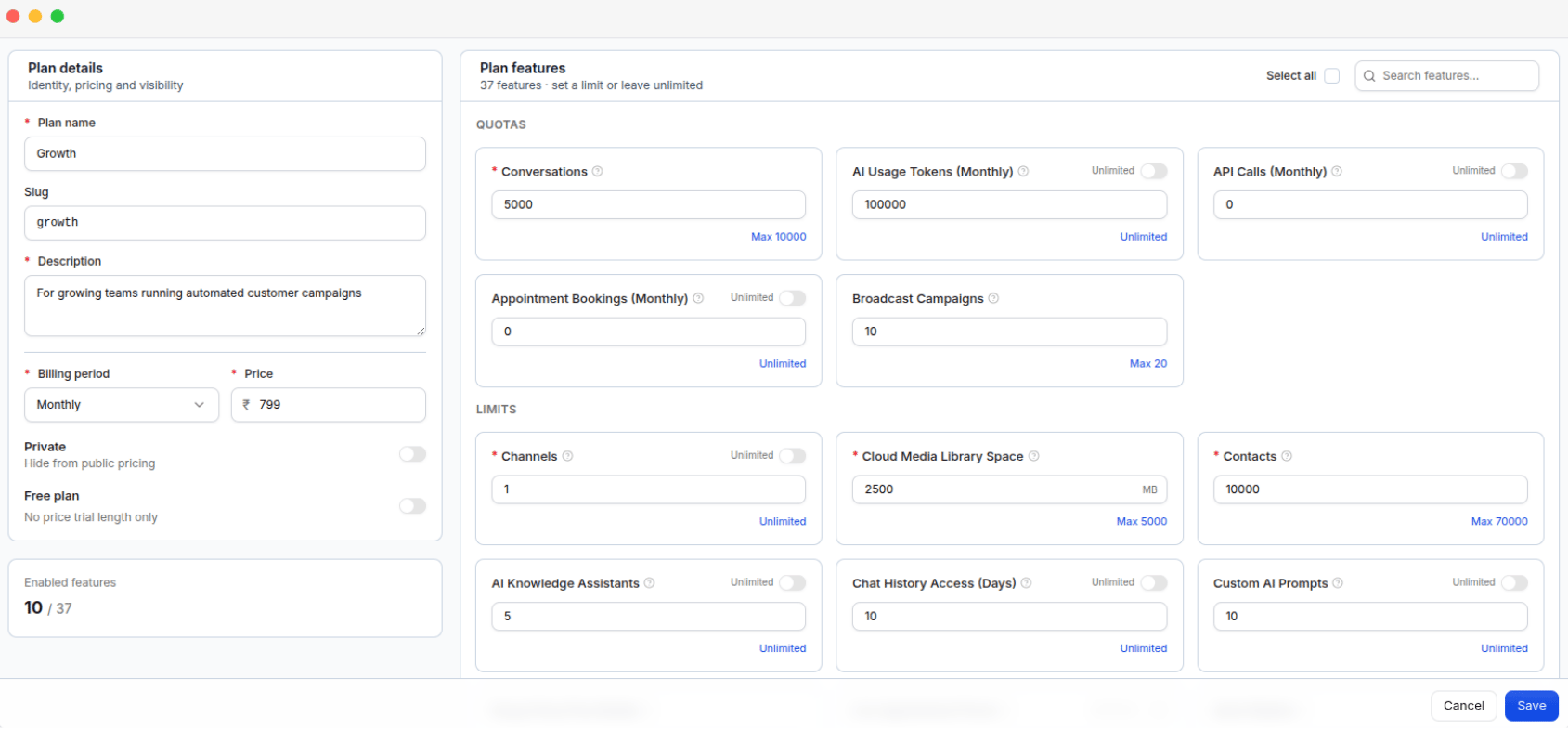
The Add Plan form: plan details and pricing on the left, plan features with their limits on the right
1
Open the plan form
Go to Plans and click Add Plan.
2
Fill in the plan details
On the left side of the form:
3
Choose the plan features
On the right, in Plan features, turn on every feature and limit the plan should include.
4
Save
Click Save.
Free plans
When Free plan is enabled, the plan does not require a price or billing period. Instead, you set Trial days from 1 to 365 days. Tenants can sign up and use the platform without paying.A tenant can use a free plan only if they have never used a paid plan or another free plan before.