> ## Documentation Index
> Fetch the complete documentation index at: https://reseller-docs.wamatrix.io/llms.txt
> Use this file to discover all available pages before exploring further.
# Node Catalog
> Control which automation nodes the AI can use when generating flows.
**AI Flow → Node Catalog** lists the nodes available to the AI when generating automations.
You can enable or disable nodes and update their **Purpose** to help the AI use them correctly.
These settings apply only to **AI-generated flows**. Tenants can still use all nodes when building flows manually.
## Node list
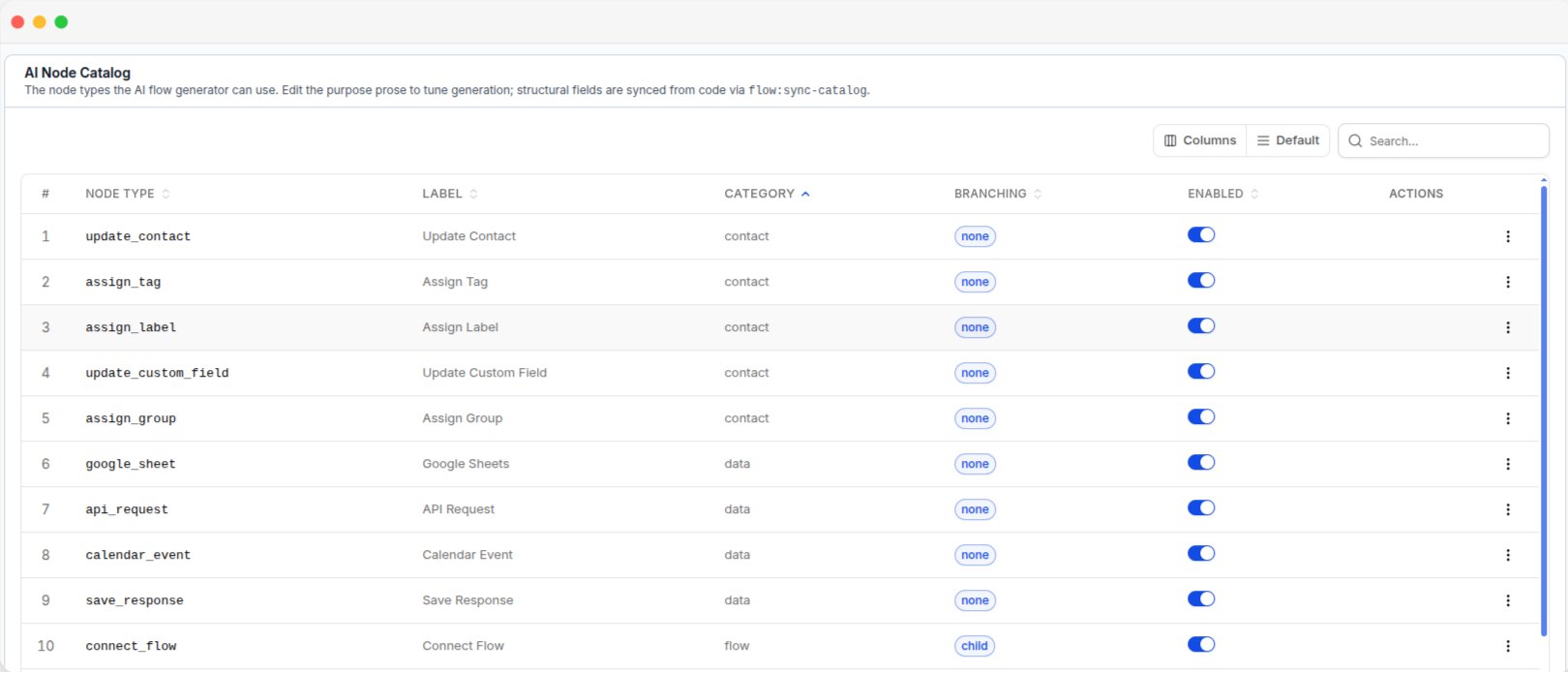 | Column | Description |
| ------------- | ------------------------------------------------ |
| **Node Type** | Internal name of the node. |
| **Label** | Display name of the node. |
| **Category** | Category the node belongs to. |
| **Branching** | Whether the node can create multiple flow paths. |
| **Enabled** | Whether the AI can use the node. |
## Configure a node
Open a node to view its details.
| Column | Description |
| ------------- | ------------------------------------------------ |
| **Node Type** | Internal name of the node. |
| **Label** | Display name of the node. |
| **Category** | Category the node belongs to. |
| **Branching** | Whether the node can create multiple flow paths. |
| **Enabled** | Whether the AI can use the node. |
## Configure a node
Open a node to view its details.
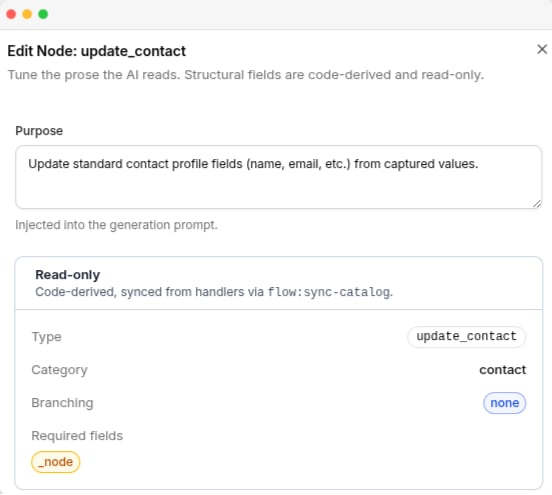 **Purpose** is the only editable field. Describe what the node does and when the AI should use it.
The **Purpose** is included in every AI flow generation request. A clear description helps the AI select and use the node correctly.
**Node Type, Label, Category, and Branching** are read-only. These values are controlled by the platform and updated automatically.
## Enable or disable a node
Use the **Enabled** switch to control whether the AI can use a node.
| Setting | Effect |
| ------------ | ------------------------------------------- |
| **Enabled** | The AI can use the node in generated flows. |
| **Disabled** | The node is excluded from AI generation. |
Disabling a node does not remove it from the manual automation builder.
Disabling commonly used nodes, such as message nodes, can reduce the quality of AI-generated flows.
**Purpose** is the only editable field. Describe what the node does and when the AI should use it.
The **Purpose** is included in every AI flow generation request. A clear description helps the AI select and use the node correctly.
**Node Type, Label, Category, and Branching** are read-only. These values are controlled by the platform and updated automatically.
## Enable or disable a node
Use the **Enabled** switch to control whether the AI can use a node.
| Setting | Effect |
| ------------ | ------------------------------------------- |
| **Enabled** | The AI can use the node in generated flows. |
| **Disabled** | The node is excluded from AI generation. |
Disabling a node does not remove it from the manual automation builder.
Disabling commonly used nodes, such as message nodes, can reduce the quality of AI-generated flows.