> ## Documentation Index
> Fetch the complete documentation index at: https://reseller-docs.wamatrix.io/llms.txt
> Use this file to discover all available pages before exploring further.
# Activity log
> Review actions performed across the platform.
**Setup → Activity Log** records actions performed on your platform, including **who** performed the action, **what** they changed, and **when**.
The log can help you track changes made by staff and tenants.
## Activity details
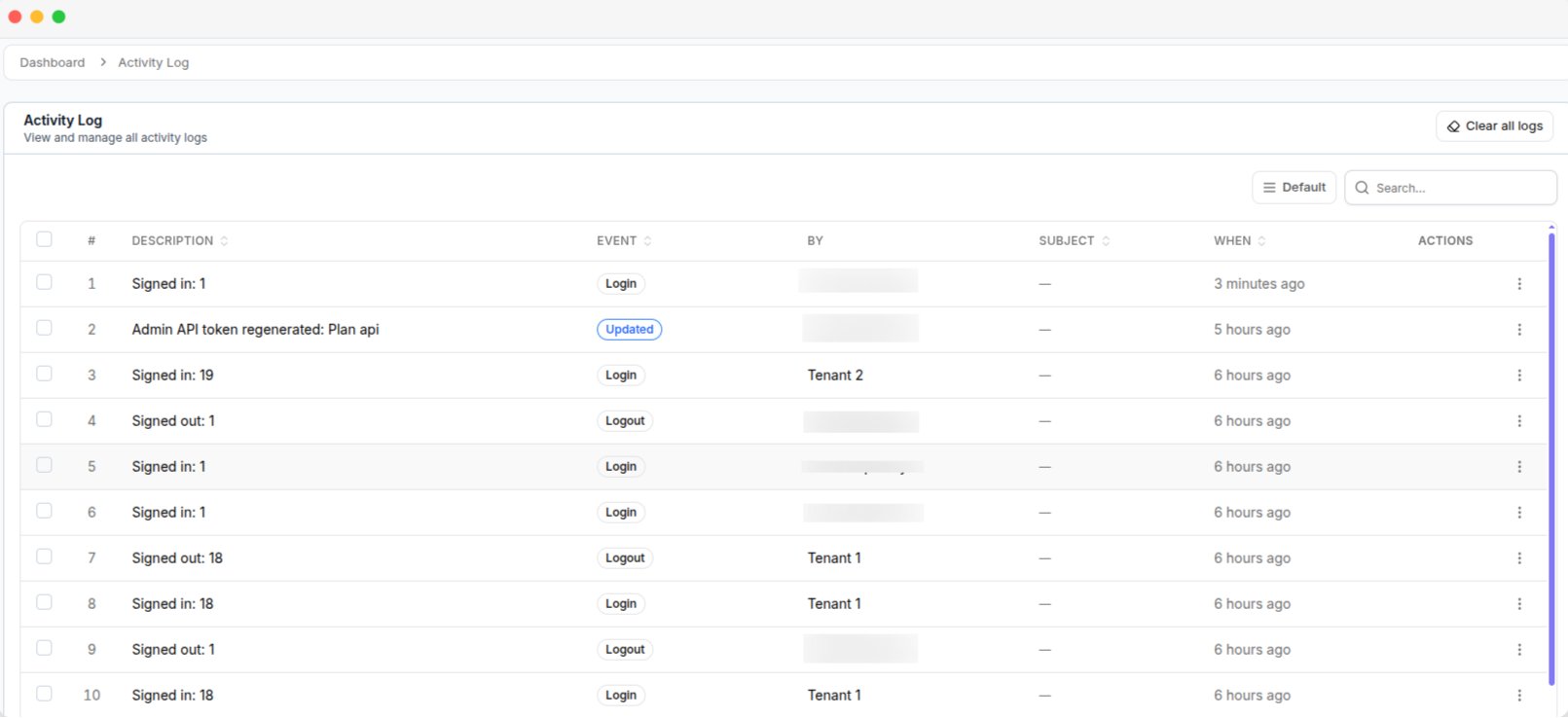 | Column | Description |
| ---------------- | ----------------------------------------------------- |
| **Description** | What happened. |
| **Event** | Type of action, such as created, updated, or deleted. |
| **Performed By** | User who performed the action. |
| **Subject** | Item affected, such as a plan or tenant. |
| **When** | Date and time of the action. |
You can search by **Description** or **Event**, and filter by **Event**.
The log includes actions from both your admin panel and tenant workspaces. If an entry shows an unfamiliar user, it may have been created by a tenant's staff member.
## Delete activity logs
You can delete logs in three ways.
* **Single entry** — Delete one entry from its row.
* **Multiple entries** — Select entries and click **Delete**.
* **All entries** — Click **Clear all logs**.
Deleted logs cannot be restored. **Clear all logs** permanently removes the complete activity history.
Give the **Delete** permission only to trusted staff members. Staff with this permission can remove activity records. See [Users & roles](/pa/users-and-roles).
| Column | Description |
| ---------------- | ----------------------------------------------------- |
| **Description** | What happened. |
| **Event** | Type of action, such as created, updated, or deleted. |
| **Performed By** | User who performed the action. |
| **Subject** | Item affected, such as a plan or tenant. |
| **When** | Date and time of the action. |
You can search by **Description** or **Event**, and filter by **Event**.
The log includes actions from both your admin panel and tenant workspaces. If an entry shows an unfamiliar user, it may have been created by a tenant's staff member.
## Delete activity logs
You can delete logs in three ways.
* **Single entry** — Delete one entry from its row.
* **Multiple entries** — Select entries and click **Delete**.
* **All entries** — Click **Clear all logs**.
Deleted logs cannot be restored. **Clear all logs** permanently removes the complete activity history.
Give the **Delete** permission only to trusted staff members. Staff with this permission can remove activity records. See [Users & roles](/pa/users-and-roles).